What Are Platform Properties in Google Search Console?
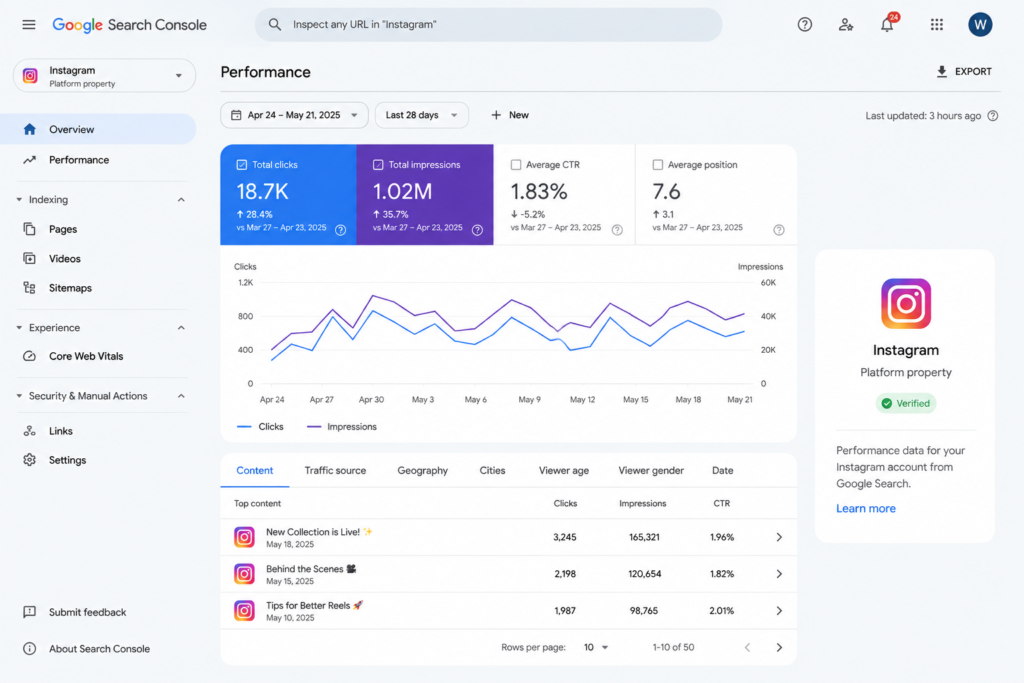
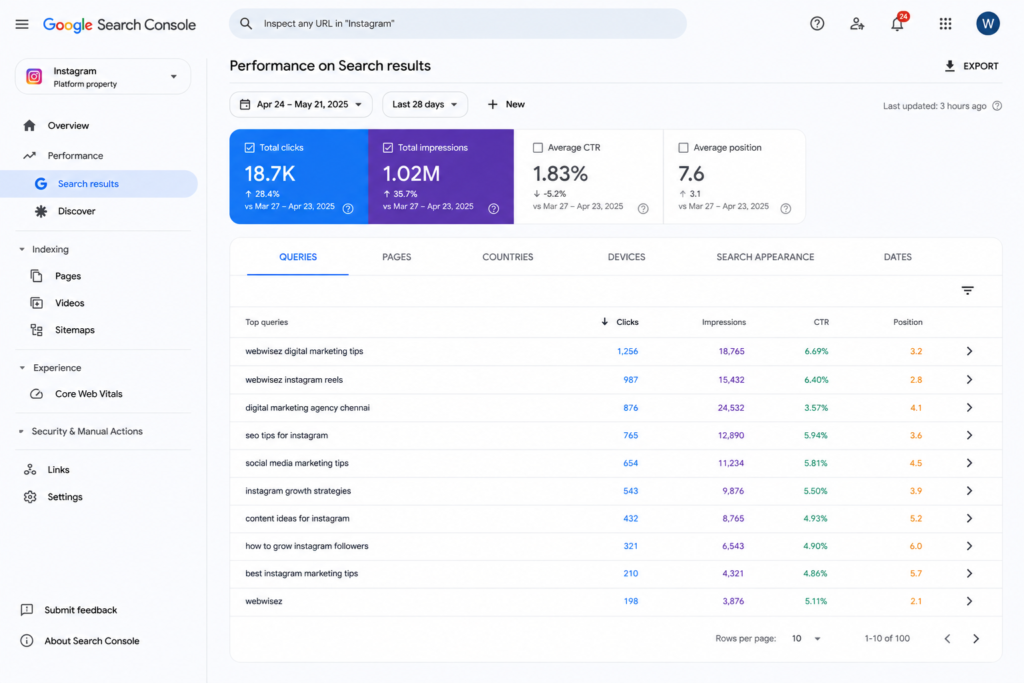
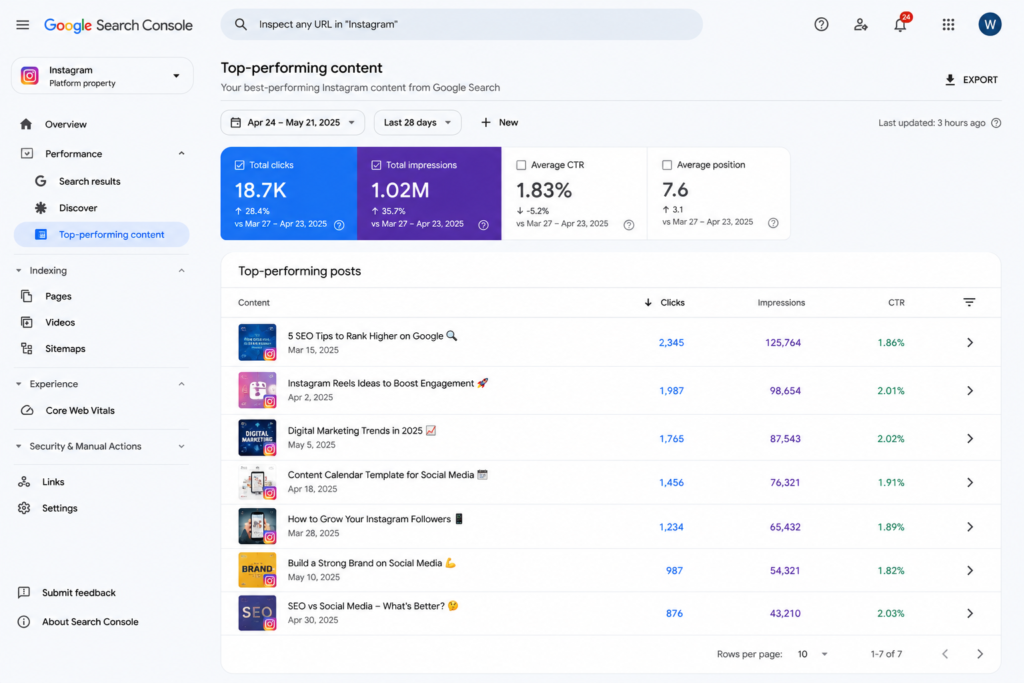
Traditionally, Google Search Console was built to monitor the performance of websites and domains. With the introduction of Platform Properties, Google has expanded its capabilities by allowing users to add supported social media accounts as separate properties.Each connected social media profile appears alongside your website properties in Search Console. Once verified, you can access valuable performance data, including impressions, clicks, search queries, and your top-performing social posts. These insights help you understand how your social media content contributes to your visibility in Google Search.
At Webwisez, we recommend connecting your social media profiles to Google Search Console as part of a complete SEO strategy. Monitoring these insights enables businesses to identify high-performing content, improve search visibility, and make data-driven marketing decisions across both their website and social platforms.Whether you’re a business owner, content creator, or digital marketer, this feature provides a clearer understanding of your overall search presence and helps you optimize your content for better organic performance.
Which Social Media Platforms Are Supported?
Currently, Google Search Console supports Platform Properties for:
Each platform must be connected individually. For example, if your business has an Instagram page, a YouTube channel, and an X account, each one will appear as a separate property within your Google Search Console account.As Google continues to develop this feature, additional social platforms may be supported in future updates.
Why Connect Your Social Media Accounts?
Adding your social media accounts to Google Search Console does much more than provide basic analytics. It gives you valuable insights into how your Instagram, YouTube, TikTok, and X content appears in Google Search and how users interact with it. By understanding what drives impressions, clicks, and engagement, you can refine your content strategy and focus on what works best. This data helps businesses, creators, and marketers make smarter decisions that improve both their search visibility and overall digital marketing performance.
Some key benefits include:
Instead of creating content based on assumptions, you can use real search data to produce content that matches your audience’s interests.
Step 1: Sign in to Google Search Console
The first step is to access your Google Search Console account.
Visit the Google Search Console website and sign in using the Google account associated with your business or website.
If you’ve already been using Search Console for SEO, you’ll see your existing website properties listed in the property selector. There’s no need to remove or replace them—your social media accounts will simply be added as additional properties.
Once you’re logged in, take a moment to familiarize yourself with the dashboard. The property selector, located in the top-left corner, is where you’ll manage both website and social platform properties.
Step 2: Add a New Platform Property
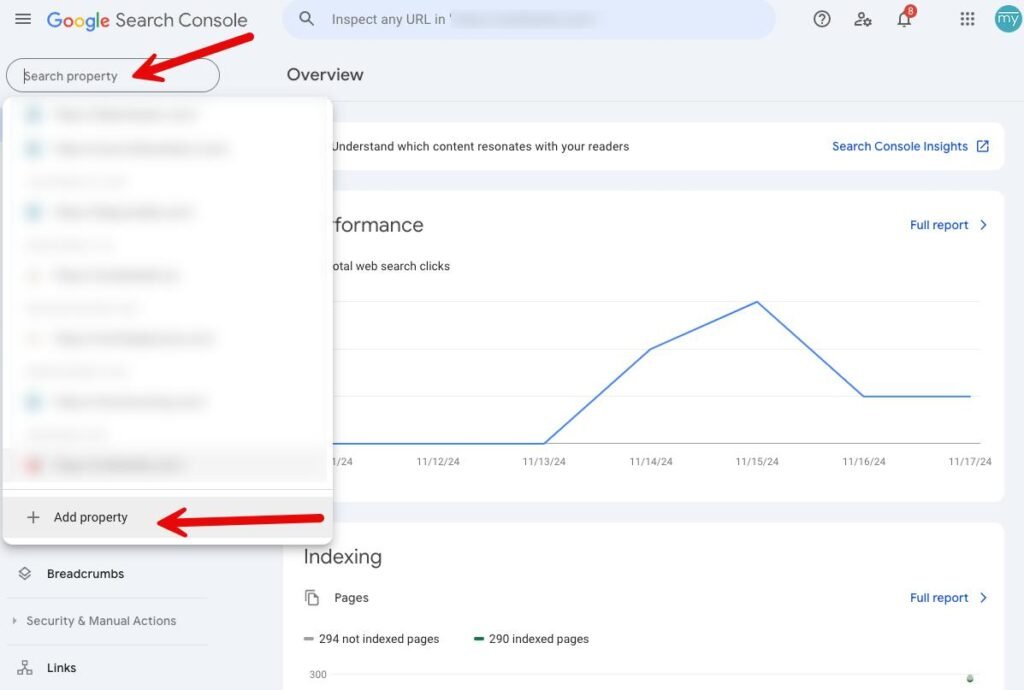
After signing in, click on the Property Selector in the upper-left corner of the dashboard.
A dropdown menu will appear, displaying all your existing website properties. Scroll to the bottom of the list and click Add Property.
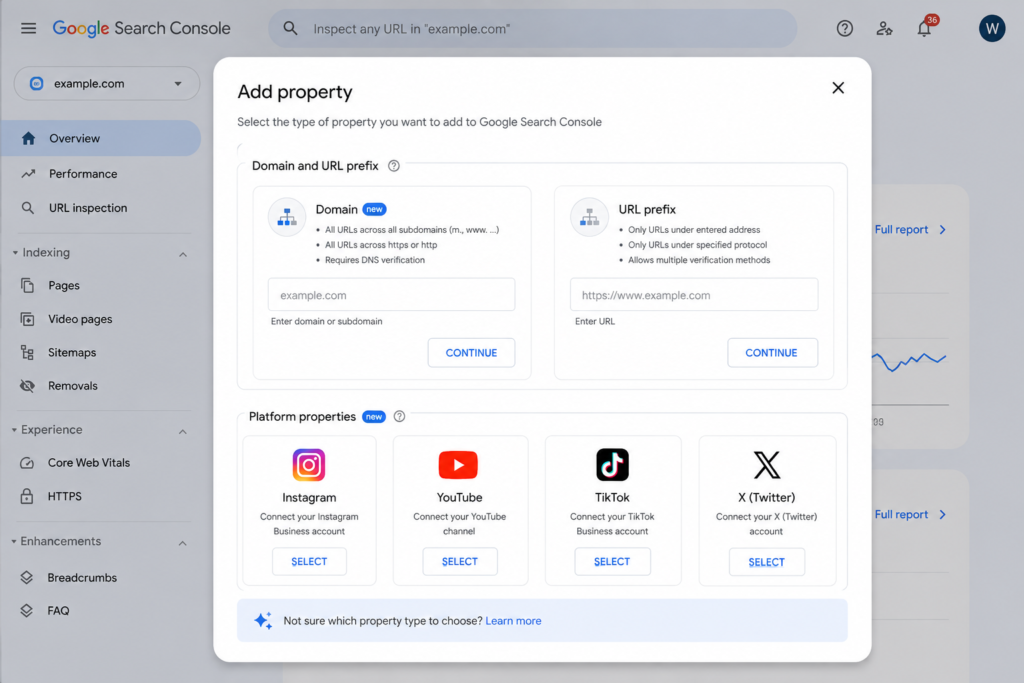
Google will then display the available property types. Alongside the traditional Domain and URL Prefix options, you’ll see supported Platform Properties for social media.
Select the platform you want to connect—for example, Instagram, YouTube, TikTok, or X.
This feature is designed to keep website data and social media performance separate, making it easier to analyze each channel individually.
Step 3: Connect Your Social Media Account
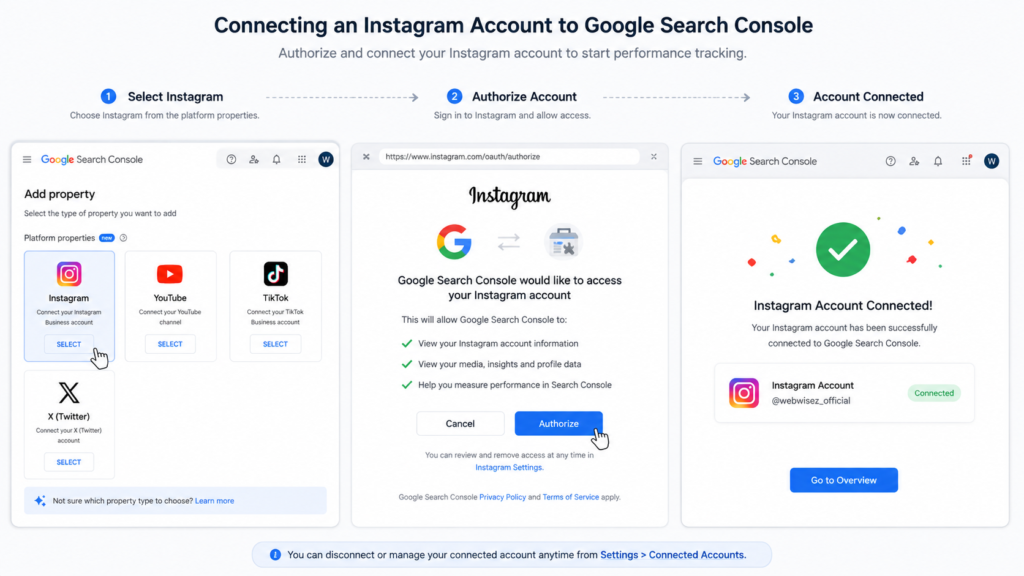
Once you’ve selected a platform, Google will guide you through the authorization process.
Depending on the platform, you may be asked to:
The process is straightforward and usually takes less than a minute. After successful verification, your social media account will appear as a new property in the Google Search Console dashboard.
Repeat these steps for each supported platform your business uses. For example, you can add your Instagram page, YouTube channel, TikTok account, and X profile individually.
Each platform maintains its own reports, allowing you to review performance without mixing data from different channels.
Step 4: Review Your Social Media Performance Reports
Once your social media account has been successfully connected, you can start exploring the performance data available in Google Search Console.From the Property Selector, choose the social media account you want to analyze. Google will display reports similar to those available for website properties, but the data will focus specifically on your social media content.
Depending on the platform, you may see reports such as:
These reports help you understand how people discover your social content through Google Search—not just through the social platform itself.
Step 5: Understand the Key Performance Metrics
To make the most of Platform Properties, it’s important to understand what each metric means and how it can improve your content strategy.
1. Clicks
Clicks indicate how many users visited your social media content after finding it through Google Search.
A high number of clicks usually means your content is relevant, attractive, and answers the user’s search intent.
How to Improve Clicks
2. Impressions
Impressions represent how many times your post or video appeared in Google Search results.
High impressions but low clicks may indicate that your content is visible but not convincing enough for users to click.
Tips to Increase Click-Through Rate
3. Average Click-Through Rate (CTR)
CTR is the percentage of users who clicked your content after seeing it in Google Search.
For example:
Your CTR would be 8%.
Rather than comparing every post against each other, compare similar content formats to identify patterns.
4. Average Position
Average Position estimates where your content appeared in Google Search results.
While positions can vary depending on location, device, and search query, this metric gives you an overall indication of your content’s visibility.
Higher positions generally lead to more impressions and clicks.
5. Search Queries
One of the most valuable reports is the Queries Report.
It shows exactly what people searched before finding your content.
For example, if users searched:
These topics can inspire future content ideas.
Step 6: Use the Data to Improve Your Content Strategy
Adding social media accounts to Google Search Console is only the beginning.
The real value comes from analyzing the reports and using the insights to create better content.
Look for content that receives:
Instead of creating random posts, build new content around topics that are already attracting organic traffic.
For example, if an Instagram Reel about “SEO Tips” performs well, you could repurpose it into:
Repurposing successful content saves time and helps you reach audiences across multiple platforms
Best Practices for Using Platform Properties
To get the most value from Google Search Console, follow these best practices:
Common Mistakes to Avoid
Many businesses connect their accounts but never use the available insights.
Avoid these common mistakes:
Remember, the reports are only useful if you act on the data.
Conclusion
Google Search Console’s Platform Properties feature marks a significant step forward in measuring your brand’s online visibility. Instead of focusing only on your website, you can now understand how your social media content contributes to organic search performance.By connecting your Instagram, YouTube, TikTok, and X accounts, you’ll gain access to valuable insights such as impressions, clicks, search queries, and top-performing posts. These reports help you identify the topics your audience is searching for, refine your content strategy, and maximize the reach of your social media efforts.
Remember, simply connecting your accounts won’t improve your rankings overnight. The real advantage comes from using the data to publish more relevant, high-quality content that aligns with user intent.Whether you’re a business owner, digital marketer, or content creator, regularly reviewing these reports can help you make smarter marketing decisions and build a stronger presence across Google Search.