BLOG Home / Blog / Profile.Google.com Guide

What Is
Profile.Google.com?
Complete Guide (2026)

Introduction

Google has become an important part of our everyday digital activities. From Gmail and YouTube to Google Search and Google Maps, millions of users interact with Google services every day.Behind these services, every Google Account has a connected profile that represents the user’s online identity. Many people search for What Is Profile Google Com when they discover a Google profile link, want to update their account information, or need to understand how Google profiles work.

For students, professionals, and business owners who want to build a strong online presence, understanding how Google Profiles work is an essential digital marketing skill. Enrolling in a Digital Marketing Course in Chennai helps you learn how to optimize your Google presence, improve personal branding, and use Google tools effectively for better online visibility.
Google Profile works as a digital identity that connects your information across different Google services. It helps you manage important details like your name, profile picture, and personal information from one place. Whether you use Gmail, YouTube, Google Maps, or Google Search, your profile helps create a personalised experience. Keeping your Google Profile updated ensures that your information remains accurate and makes your online presence more consistent across Google platforms.
Book a Consultation
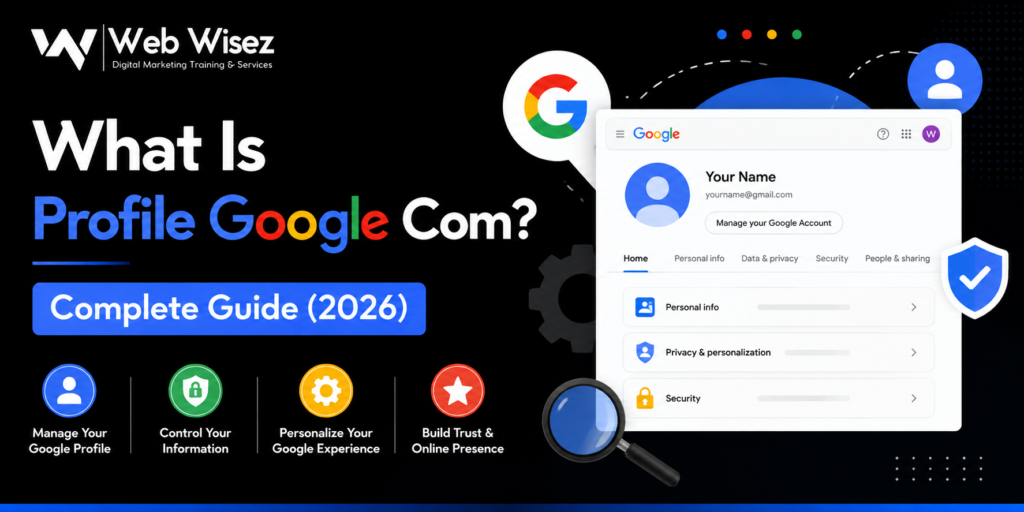
Banner featuring the Web Wisez logo with the title "What Is Profile Google Com? Complete Guide (2026)," representing a guide to managing your Google Profile and digital identity.

What Is Profile Google Com?

Profile Google Com is the profile page connected to your Google Account. It represents your identity across Google’s different services.When you create a Google Account, Google automatically creates a profile that allows you to manage information connected with your account.
Your Google Profile may include:
This information helps Google identify your account when you interact with different services
For example, your Google Profile may appear when you :
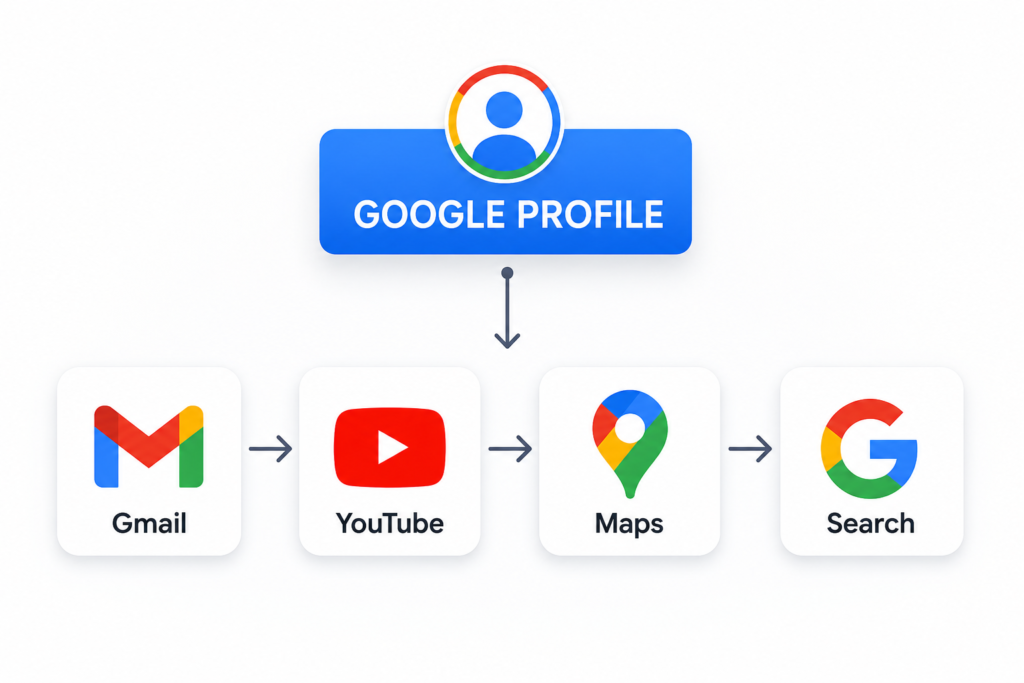
Your profile acts as a central identity that connects your activities across Google’s ecosystem.
Google Profile illustration showing integration with Gmail, YouTube, Google Maps, and Google Search services.

How Does Google Profile Work?

Google Profile works by connecting your account information across multiple Google platforms. Instead of creating separate identities for every Google service, Google uses one connected profile that works across its ecosystem. Your profile information helps Google personalise your experience and allows other users to recognise your account when you interact online.

Google Profile Across Different Google Services

Gmail :
Your Google Profile information may appear when you send emails through Gmail.

Your profile name and image help recipients identify your account.

YouTube :
Your Google Profile connects with your YouTube activities.
It can appear when you:
Google Maps :
When you contribute reviews, photos, or information on Google Maps, your profile represents your identity.
A complete profile helps create trust among other users.
Google Search :
Google uses your profile information to provide a personalised experience.
This may include:

Difference Between Google Account and Google Profile

Many users confuse Google Account and Google Profile. Although they are connected, they have different purposes.

Google Account Google Profile
Provides access to Google services Represents your online identity
Contains login and security information Contains profile details
Controls account access Controls profile appearance
Manages Google services Manages public information

Your Google Account gives you access to Google services, while your Google Profile represents how you appear online.

Why Is Google Profile Important?

Understanding What Is Profile Google Com helps users manage their digital identity effectively. A properly managed Google Profile provides several benefits, including better control over personal information, improved online visibility, and a more personalised experience across Google services. It helps users maintain accurate details, build trust, and create a consistent digital presence.

Builds Online Recognition

A complete profile makes it easier for people to recognise you across different Google services. When your name, profile picture, and personal details are updated properly, it creates a clear and consistent online identity. This helps you have a smoother experience while using Google platforms and makes your interactions feel more personal.
For professionals and businesses, keeping profile information accurate plays an important role in building trust and credibility. A well-managed Google Profile helps people understand who you are, creates a professional impression, and makes it easier for customers or audiences to connect with you. In today’s digital world, maintaining an updated online presence can make a big difference in how people view and engage with your brand.

Improves Personalised Experience

Google uses profile information to provide better experiences through:

Helps Manage Digital Identity

Google Profile gives you control over your information.
You can decide:

Step 1: Access Your Google Account Profile
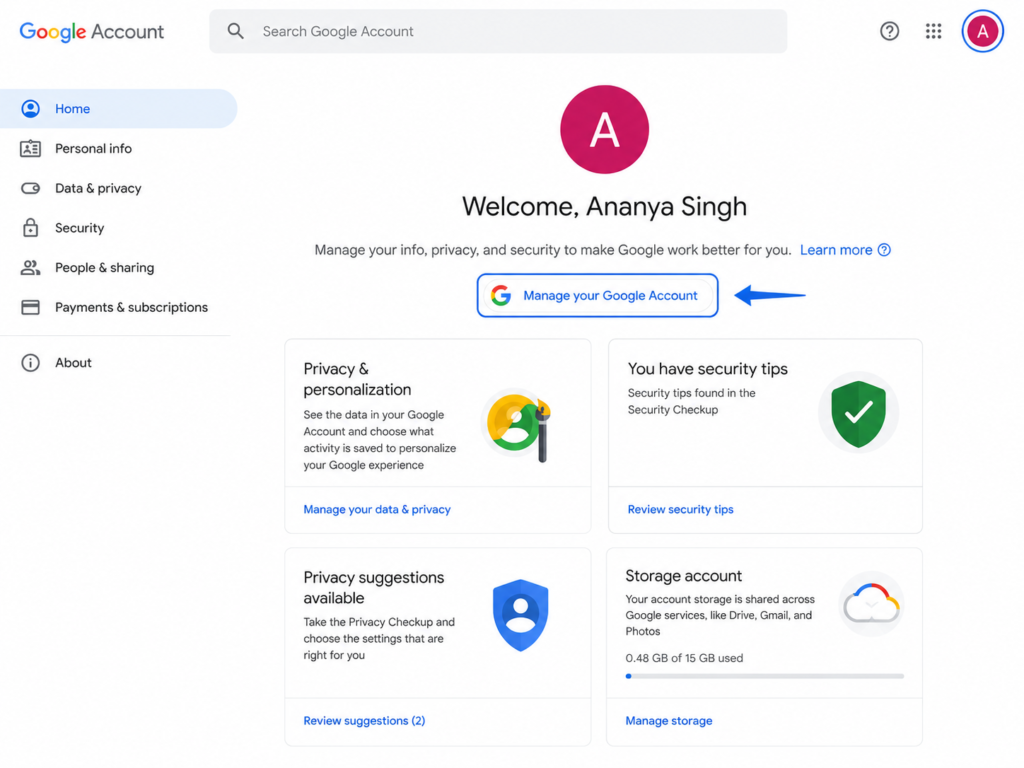
The first step is to open your Google Account profile settings.
Sign in using the Google account connected with your profile.
After logging in, click your profile icon displayed at the top-right corner.
Select :
Manage Your Google Account
From here, you can access your profile settings and personal information.
Google Account home page displaying the “Manage your Google Account” button highlighted with a blue arrow, alongside privacy, security, and storage management cards.

Step 2: Edit Your Google Profile Information

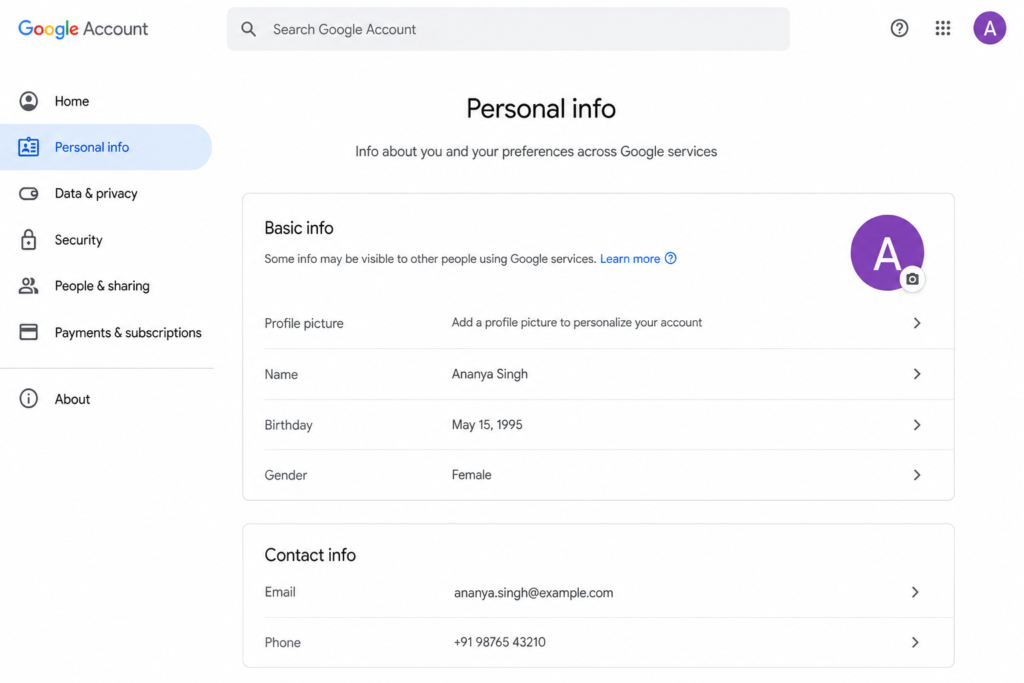
After accessing your Google Account, navigate to the Personal Information section.
Here you can update details such as:
Keeping your information updated ensures that your Google identity remains accurate.
Google Account Personal Info page displaying profile details, including name, birthday, gender, email address, and phone number.

Step 3 : Edit : Manage Google Profile Privacy Settings

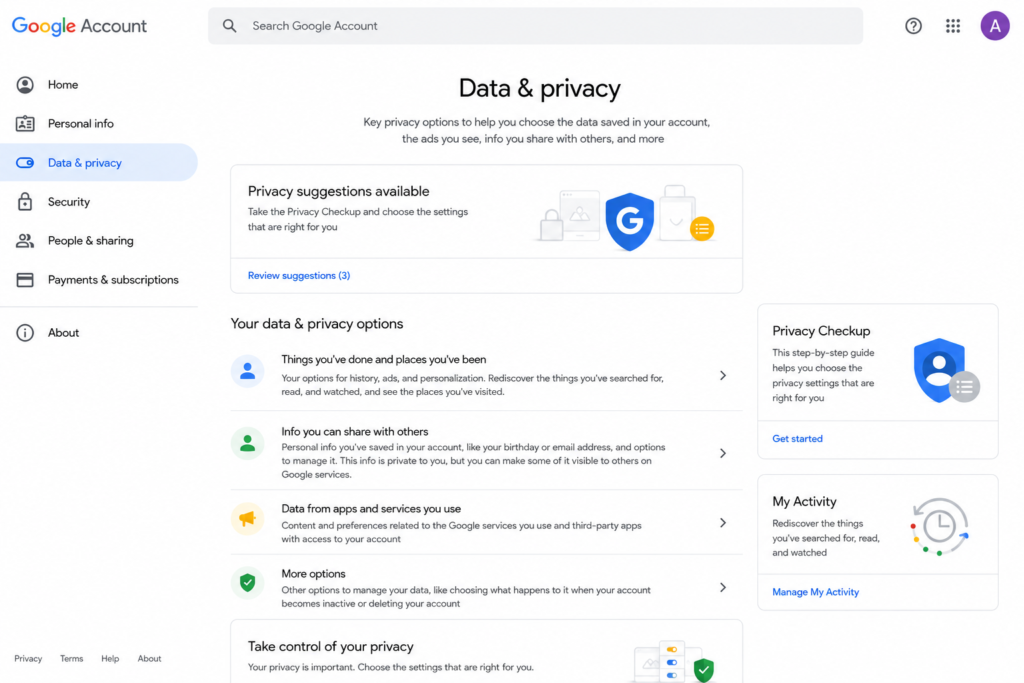
Google allows users to control how their information appears publicly.
You can review and manage :
Regularly checking privacy settings helps protect your personal information.
Google Account Data & Privacy page showing privacy settings, activity controls, and data management options.

Google Profile vs Google Business Profile

Google Profile Google Business Profile
Designed for individuals Designed for businesses
Represents personal identity Represents business identity
Manages personal information Manages business details
Used across Google services Used for local search visibility
Connected with Google Account Helps customers find businesses

How Google Profile Supports Online Visibility

Although a Google Profile is not a direct Google ranking factor, maintaining accurate profile information can support your overall online presence. A strong digital identity helps users recognise your brand and creates trust when they interact with your content. For businesses, combining Google optimisation with SEO strategies can improve:
A professional online presence requires multiple strategies, including search engine optimisation, content marketing, and social media management. Working with an experienced Digital Marketing Agency in Chennai can help businesses create effective strategies to improve their online growth.

How Google Profile Helps Digital Marketing Strategy

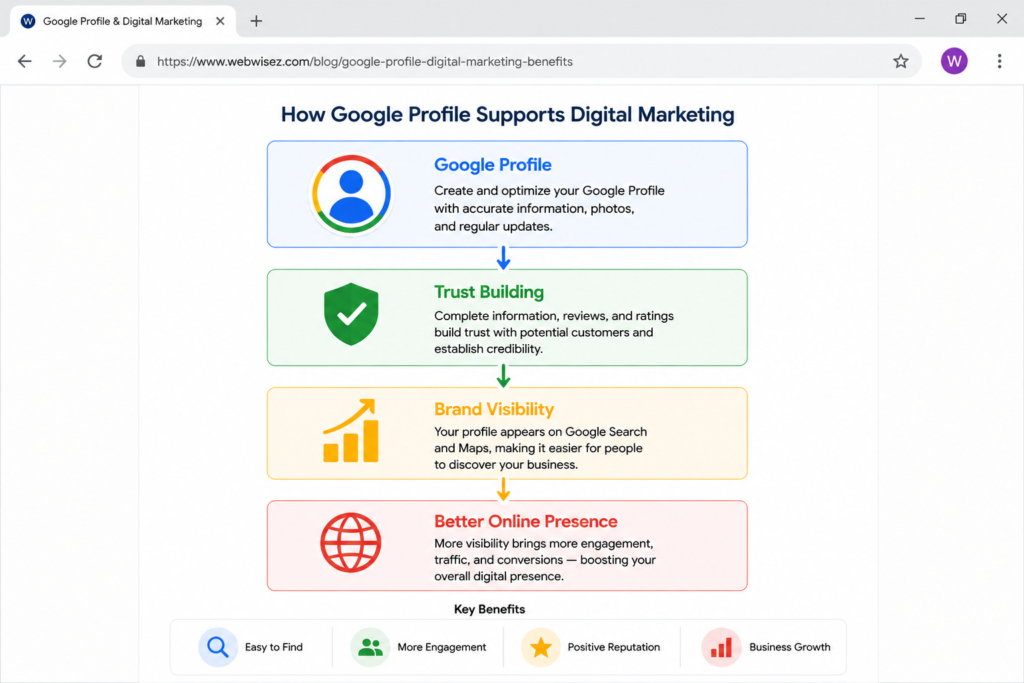
A well-maintained Google Profile supports digital marketing efforts by creating consistency across online platforms.
Businesses can improve their digital presence by focusing on :
1. Brand Consistency
Use the same :
across different platforms.
Consistent branding helps users easily recognise your business
2. Building Customer Trust
Accurate online information improves customer confidence.
Users are more likely to trust profiles that contain:
3. Improving User Experience
A properly managed Google identity helps users find reliable information quickly.
This improves overall engagement and online interaction.
Infographic showing how a Google Profile improves digital marketing by building trust, increasing visibility, and supporting business growth.

Best Practices for Managing Google Profile

To get the maximum benefit from your Google Profile, follow these best practices:
Keep Your Information Updated
Review your profile details regularly and update outdated information.
Make sure your :
are accurate.
Use a Professional Profile Image
Your profile picture creates the first impression of your online identity.
Use :
Review Privacy Settings Regularly

Check your privacy settings to control what information is visible publicly.

Review :
Enable Security Features
Protect your Google Account using :
Strong security helps prevent unauthorised access.
Maintain Consistent Branding
For businesses and professionals, consistency is important.
Keep your :
similar across platforms.

Common Problems With Google Profiles

Users may experience some common issues while managing their Google Profile.
Profile Information Not Updating
Sometimes changes made to your profile may not appear immediately.
Possible reasons :
Wait for some time and check your profile again.
Incorrect Information Appearing
If your profile displays outdated information :
Keeping information accurate improves your online identity.
Profile Picture Not Showing
If your profile picture does not appear :
Check :
Make sure the image follows Google’s guidelines.
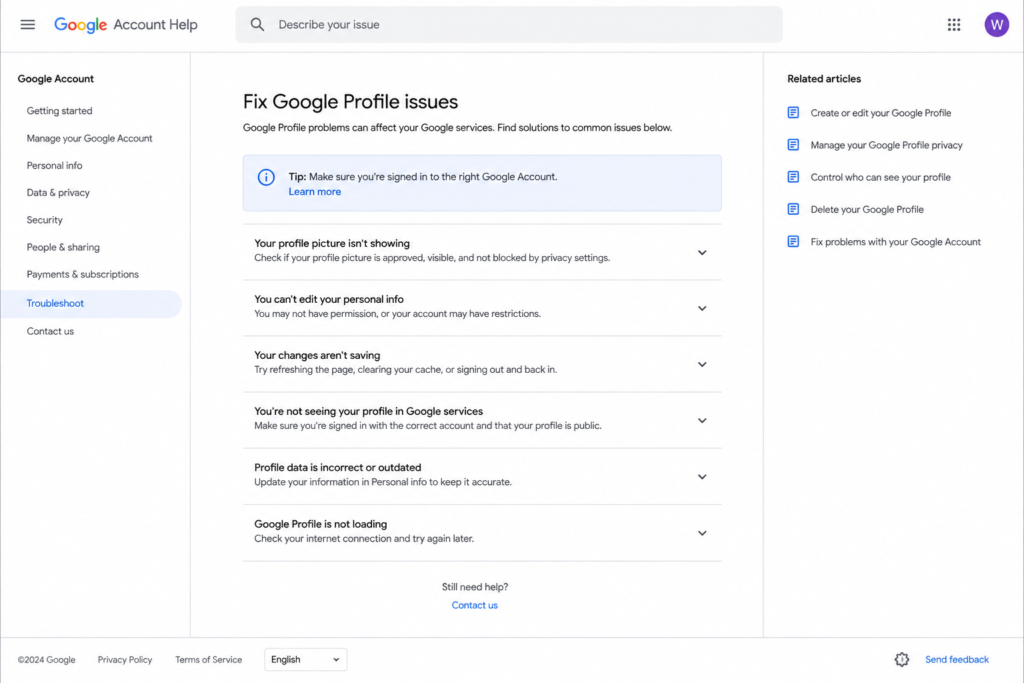
Google Account Help page displaying troubleshooting options for common Google Profile issues, including profile picture, personal information, profile visibility, and loading problems.

Does Profile Google Com Impact SEO?

Many users ask whether Profile Google Com improves SEO rankings.
The answer is :
No, a personal Google Profile is not a direct ranking factor.
However, maintaining a strong online identity can support your overall digital presence.
A complete and professional profile can help with:
For businesses, combining Google tools with effective SEO strategies creates better opportunities for online growth.

Google Profile and Content Marketing

Your Google Profile can support content marketing by creating a connected online identity.
Content creators and businesses can benefit by:
High-quality content combined with a strong digital presence helps businesses reach more

Conclusion

Understanding What Is Profile Google Com is essential for anyone who wants to manage their digital identity across Google’s ecosystem. Your Google Profile serves as a central hub for your personal information, allowing you to control how your name, profile picture, and other details appear across Google services. Keeping your profile updated not only creates a more personalized Google experience but also improves credibility and makes it easier for others to recognize and connect with you online. Regularly reviewing your profile information, privacy settings, and security options helps ensure your account remains accurate, secure, and professional.

For businesses, a strong online presence goes beyond maintaining a Google Profile. Combining it with effective SEO, Google Business Profile optimization, and digital marketing strategies can significantly improve search visibility, strengthen customer trust, and drive sustainable business growth. At Web Wisez, we specialize in helping businesses maximize their online potential through expert SEO services, Google Business Profile optimization, and result-driven digital marketing strategies. Whether you’re looking to improve your search rankings, attract more qualified customers, or build a stronger digital presence, our team is here to help you achieve measurable results.

Web Wisez AI Assistant representing AI-powered learning in the Digital Marketing Course in Egmore with practical training in SEO, Google Ads, Meta Ads, and AI marketing tools.
Frequently Asked Questions
Profile Google Com refers to your Google Profile connected with your Google Account. It manages your identity across Google’s services.
Yes. Google Profile is free and automatically created when you create a Google Account.
You can access your Google Profile by signing into your Google Account and selecting “Manage Your Google Account.”
Yes. You can update your profile picture anytime through Google Account settings.
No. Google Profile does not directly improve rankings, but it helps maintain a strong online identity.
Depending on your privacy settings, users may see your name, profile picture, and selected public information.
Google Profile helps businesses maintain a consistent online identity and build trust with users across Google’s platforms.
Scroll to Top